
Five people. One pipeline. Two CRM tabs open.
Then someone asks: “Can we track each customer’s subscriptions separately?”
That small question can change the plan you need—and the price comparison you thought you had finished.
Start with the work your CRM must represent. Then compare the cheapest plan that actually supports it. Our recommendation: shortlist folk for a contact-centered workflow; shortlist Attio when you need to model interconnected business records. Both deserve a test when custom objects enter the picture. Neither earns a win from its starting price alone.
This is a documentation-based comparison, checked October 2, 2026. We did not run a hands-on product benchmark. Cerrito is building software in this category and has a commercial interest; the recommendations below are conditional, with no affiliate links.
Download the CRM decision worksheet · Record your requirements, costs and trial results. No signup.
The quick answer
Relationships first
Contact pipeline, outreach and a lower entry price. Check the upgrades your workflow needs.
Model the business
Related records, API access and configurable workflows. Custom objects require Pro.
Both support custom objects. Neither wins every workflow. Use the feature matrix to rule out unsuitable plans, then test the finalists.
Inside the products
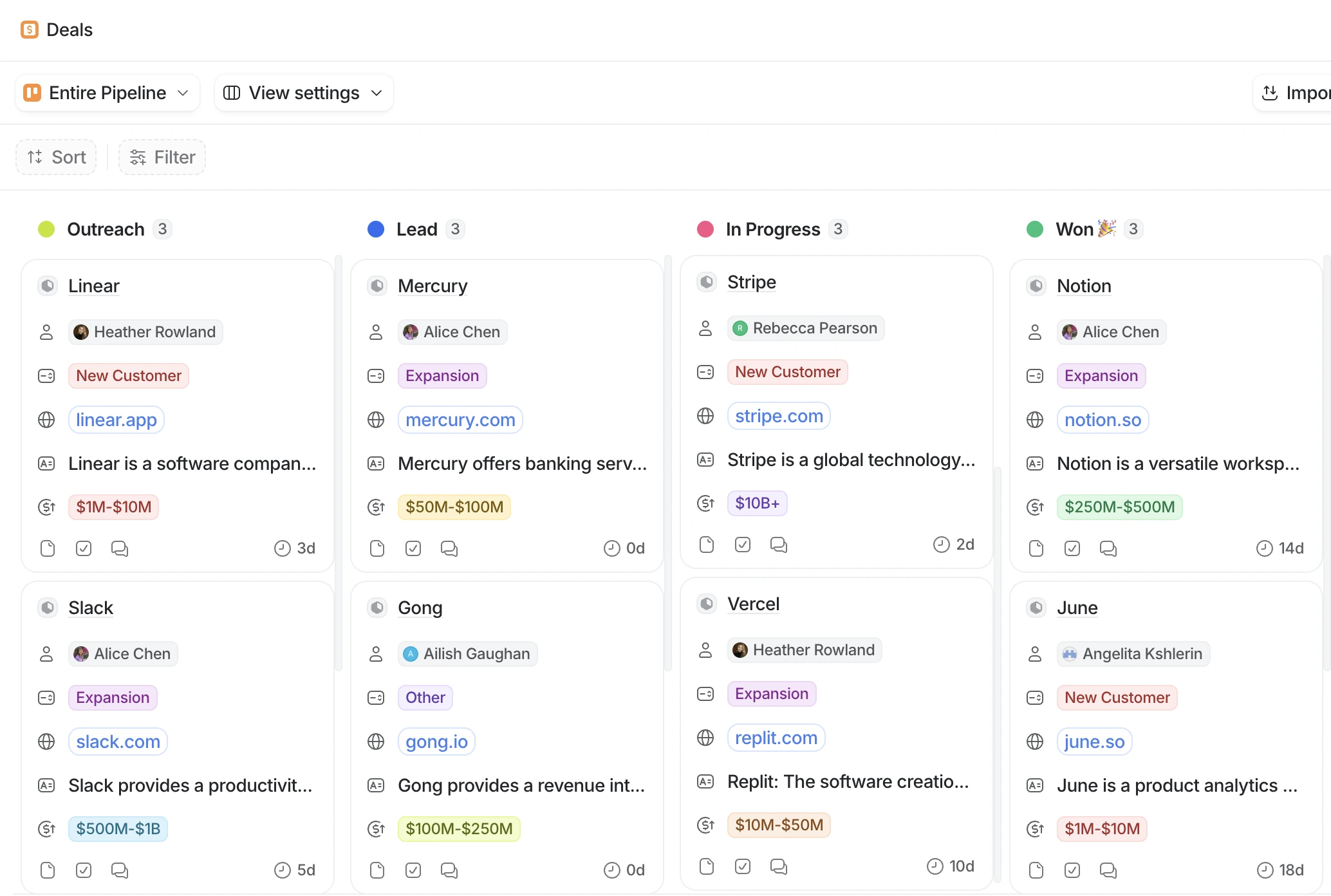
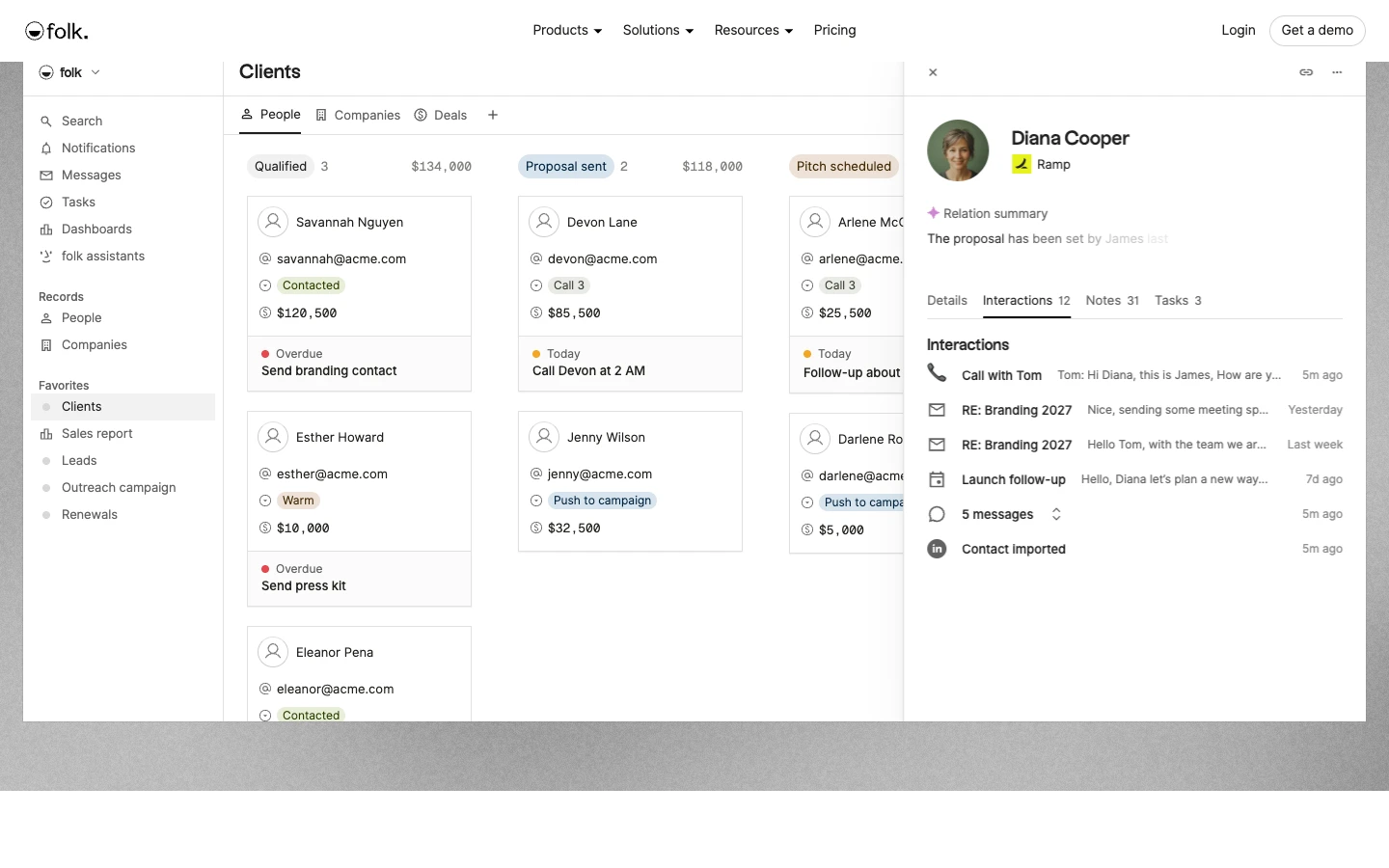
These are official product illustrations, retrieved October 2, 2026—not screenshots of a Cerrito test workspace. Click either image to inspect it at full size.
Feature comparison at a glance
✓ Documented · ↗ Upgrade required · ! Check the limit or caveat. Plan names matter: a tick confirms availability, not equal depth or performance. “All” means all subscription plans, excluding trial-only entitlements. Checked October 2, 2026.
Contacts and data
| Feature | Attio | folk |
|---|---|---|
| People & companies | ✓ All | ✓ Standard+ |
| Pipeline views | ✓ All | ✓ Standard+ |
| Custom fields | ✓ All | ✓ Standard+ |
| Custom objects | ↗ Pro+ | ↗ Premium+ |
| Record allowance | 250k Plus / 1m Pro | ! Confirm volume needs |
| Object allowance | 5 Plus / 12 Pro | ! Confirm model limits |
| Enrichment | ✓ Plan-dependent fields | ✓ Usage allowance |
Sources: Attio plan guide, folk pricing, folk data model. Attio’s object allowance includes standard objects; it is not an allowance of extra custom objects. No unverified “unlimited records” claim for folk.
Email and relationships
| Feature | Attio | folk |
|---|---|---|
| Email + calendar sync | ✓ 1 Plus / 2 Pro | ✓ 1 Standard / 5 Premium¹ |
| Bulk email / campaigns | ✓ Plan limits | ✓ Plan limits |
| Automated sequences | ↗ Pro+ | ↗ Premium+; Custom Sender |
| Relationship intelligence | ✓ Communication signals | ✓ Relationship signals |
| WhatsApp sync | ! Check integration route | ✓ Listed on Standard+ |
Sources: Attio plan guide, folk pricing, folk sequence setup. ¹ Accounts per member; account types and sender setup still matter. An exclamation mark identifies a check, not a missing feature.
AI, automation and reporting
| Feature | Attio | folk |
|---|---|---|
| AI assistance | ✓ Ask Attio; credits | ✓ Assistants; usage limits |
| Workflow automation | ✓ Workspace credits | ✓ Workflow Assistant limits |
| Research assistance | ✓ AI tools; credits | ✓ Research Assistant |
| Reports / dashboards | ✓ 15 Plus / 100 Pro | ↗ Premium+ dashboards |
| Call intelligence | ↗ Pro+ | ! Verify required workflow |
Sources: Attio plan guide, Attio credits, folk pricing, folk Research Assistant. These are different systems: one vendor’s credit does not equal one action in the other. We have not compared output quality.
Integrations and portability
| Feature | Attio | folk |
|---|---|---|
| REST API | ✓ All | ↗ Premium+ |
| MCP / AI-tool connection | ✓ All | ✓ Documented; confirm plan |
| Mobile | ✓ iOS + Android | ✓ Listed; check device support |
| CSV export | ✓ All; exclusions | ✓ Group export; exclusions |
| Export enriched data | ! Enriched cells excluded | ! Check field exclusions |
Sources: Attio plan guide, Attio MCP, Attio mobile, folk pricing, folk MCP example, Attio export, folk export.
Team access and plan boundaries
| Feature | Attio | folk |
|---|---|---|
| Paid seat cap | 10 Plus / no cap Pro | No cap listed |
| Individual / team list access | ↗ Pro+ | ! Group permissions: see conflict below |
| Read-only role can export | ✓ By default | No, per group guide |
| Admin-only export control | ↗ Enterprise | Owner / Full-access group roles |
| Permanent free plan | ✓ Up to 3 seats | Trial; no ongoing free plan listed |
Sources: Attio pricing, Attio list access, Attio export controls, folk pricing, folk group permissions, folk trial. Role scopes differ; these are not equivalent security models.
The hidden fork: a field or a separate record?
A field answers something about a customer: renewal date, account owner, segment.
A separate record represents something that can occur more than once: three subscriptions, each with a different owner, renewal date and status. Flattening those into “Subscription 1 / 2 / 3” columns may work briefly, but it makes the model harder to extend.
Attio’s documentation places custom objects on Pro and Enterprise. Its object allowance also includes standard objects such as People and Companies; an allowance of twelve does not mean twelve additional custom objects. It also notes that email synchronization applies to people and company records, not arbitrary custom objects. Attio’s custom-object documentation.
folk also supports a model beyond a contact list. Its documentation describes people, companies and custom objects, organized into groups for working views. Calling folk “just a spreadsheet” would miss that capability. folk’s data model.
The decision is whether the model fits your workflow, not which vendor says “customizable.” Ask both tools to represent the same small example: one company, two contacts, two active subscriptions and a canceled subscription. Then try answering a real question, such as “Which active subscriptions renew next month, and who owns each one?”
That is a proposed evaluation exercise. We have not run it in either product.
Price the eligible plans
Public USD list prices, checked October 2, 2026. Annual figures below assume the annual billing option; monthly subscriptions use the separate monthly rate.
| Plan | Annual rate¹ | Monthly rate | 5 seats / year | 10 seats / year |
|---|---|---|---|---|
| Attio Plus | $35 | $44 | $2,100 | $4,200 |
| Attio Pro | $79 | $99 | $4,740 | $9,480 |
| folk Standard | $24 | $30 | $1,440 | $2,880 |
| folk Premium | $48 | $60 | $2,880 | $5,760 |
¹ USD per seat/month, billed annually. Monthly rate is also per seat/month. Attio Plus stops at ten seats.
Sources: Attio pricing and folk pricing. Calculations: seats × annual-billing monthly rate × 12. Excludes tax, discounts, credits, add-ons and implementation work. Plans are not functionally equivalent.
Attio Plus is capped at ten seats; Pro removes that seat cap. folk’s Standard plan includes pipelines and email campaigns, while Premium adds custom objects, sequences, dashboards and API access. Its permission documentation has the plan conflict noted above; confirm before committing.
In the five-seat scenario, the listed custom-object plans cost $4,740 annually for Attio Pro and $2,880 for folk Premium. The $1,860 difference is arithmetic, not a value judgment. It only matters after both pass the requirements. A lower subscription bill does not rescue a model your team cannot use.
Put implementation beside the bill: hours to map data, repair duplicates, configure access and maintain automations. Record an estimate before a trial and actual effort afterward. We have no measured implementation-time comparison for these products. If you need 20 or more seats, the B2B startup CRM shortlist compares eligible plans at 20, 50 and 100 seats.
Permissions: “read only” needs a second question
Ask what someone can take out, as well as what they can change.
Attio’s list-access documentation says a read-only member can export a list. It also explains that effective access follows the most permissive applicable setting: restricting an individual does not cancel broader workspace access. Team and individual list settings require Pro or Enterprise. Attio list permissions.
Attio Enterprise can restrict exports to admins. folk’s group guide allows exports for Owner and Full-access roles, but not Can edit or Can view. Verify the plan and scope before treating those roles as interchangeable. Attio export controls, folk group guide.
Use two test accounts and synthetic records. Give one account the restricted role. Try viewing the record, opening linked data and exporting it. Record what happened. An administrator’s screen cannot prove what a restricted teammate sees.
Email sequences: a checkbox is not the workflow
Attio advertises sequences on Pro. folk lists them on Premium; its sequence documentation also requires a Custom Sender. Attio pricing, folk pricing, folk sequence setup.
Before choosing, write down your rules for replies, opt-outs, ownership changes and contacts already in another sequence. Test with controlled internal addresses only. Check sender prerequisites, limits and whether a teammate can tell why a message is scheduled.
We have not tested comparative deliverability or reply rates. A CRM feature list cannot establish either. For evaluating the channel itself, use our cold-email evidence and reset guide.
Can you leave with your data?
Export deserves a test before migration, not after cancellation. Attio says enriched values are left blank in exports. folk exports by group and lists exclusions including interactions and reminders. Neither checkbox means “everything in the workspace comes back out.” Attio export rules, folk export rules.
Try one synthetic company with two contacts, multiple related records, a note and a reminder. Export it. Check the fields and relationships your team would need to rebuild elsewhere.
Six checks before you commit
- Import: counts match; duplicates survive review.
- Model: related records answer a real question.
- Handoff: a teammate finishes a routine task.
- Access: a restricted account sees only what it should.
- Exit: required fields and relationships export.
- Email: a controlled reply stops the intended follow-up.
The downloadable worksheet contains the full test log. These are proposed checks, not results we measured.
Verdict: buy the plan that passes
Contact-led work
Start with Standard for a straightforward pipeline. Budget Premium when custom objects or sequences matter.
Connected workflows
API access is available across plans. Budget Pro for custom objects and individual/team list controls.
Both pass? Compare total operating cost. Neither passes? Keep looking. Permissions decide it? Resolve folk’s documentation conflict and test both roles before purchase.
Do not pay annually until the requirements that could reverse your decision have passed. If neither product passes, keep looking. A neat CRM that cannot represent the work becomes another place to maintain a partial version of it.
For workflows that may need a small custom tool instead, our build-versus-buy experiment explores that separate decision. The same workflow-first test applies to other stacks. Attio vs HubSpot is the case where one required object can change the bill. Close vs Pipedrive is the case where built-in calling is the expensive question.
Method and refresh policy
We reviewed the linked primary pricing and help pages on October 2, 2026. Vendor documentation establishes advertised behavior, not independently measured reliability. No product access, import benchmark, migration-time test or deliverability study was conducted for this comparison. Prices exclude negotiated offers and may change.
The worksheet, scenarios and recommendations are Cerrito synthesis. Recheck pricing and plan gates before publication and monthly thereafter; revisit sooner when either vendor changes a cited requirement.